

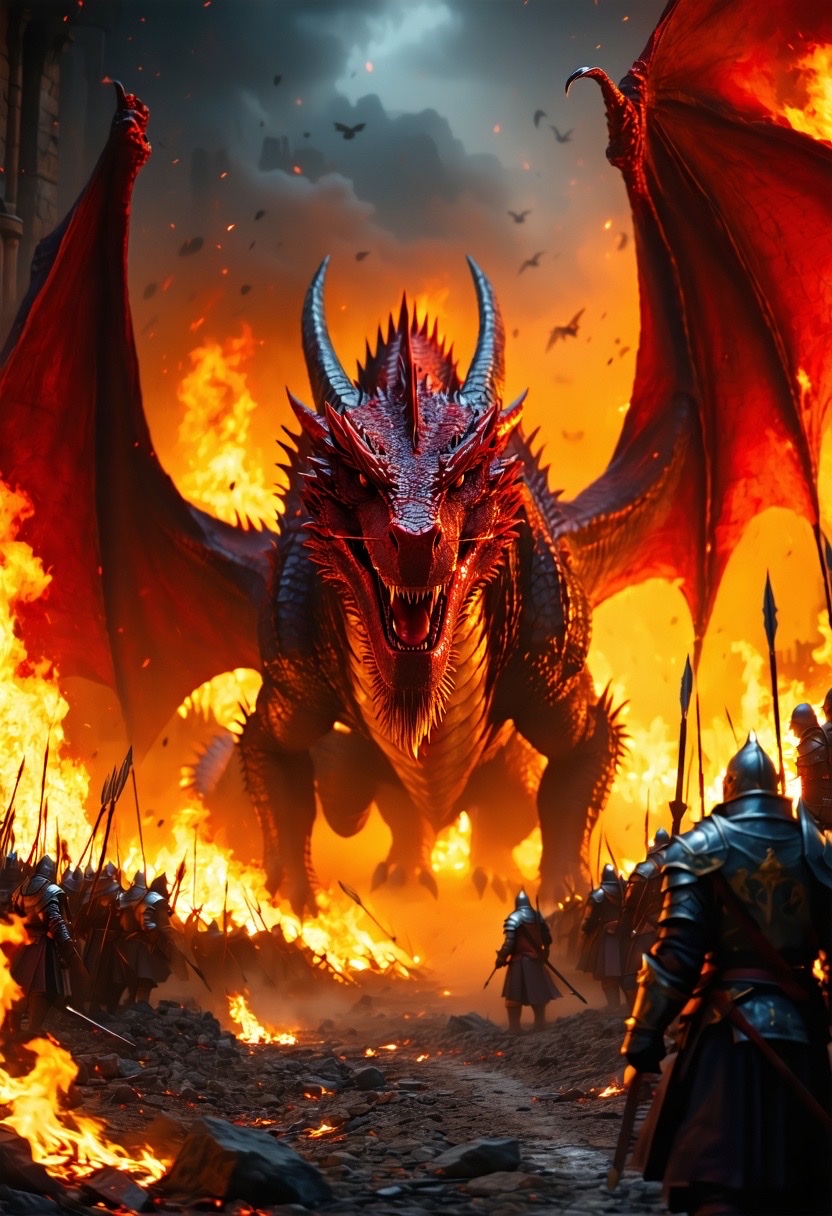
Imagine standing in the heart of medieval warfare, where chaos reigns and the scent of smoke fills the air. This is the world of dragons and fortresses, where fiery creatures loom large over crumbling battlements. Our fascination with such epic scenes knows no bounds, especially when harnessed through the lens of AI art generation. Today, we’ll delve into how a vivid prompt can conjure a breathtaking scene of a fierce dragon amidst the chaos of medieval siege warfare. The potential of AI Genie, a creative tool that brings words to life as digital art, is limitless.
Let’s explore this prompt in detail:
A fierce dragon amidst the chaos of a medieval siege warfare inferno: showcasing an epic scene filled with a fiery palette of flame red and golden yellow, illustrating flaming arrows soaring through the air, crumbling stone walls under siege, and the resounding clash of steel. The environment is chaotic and vivid, bathed in the glow of flames. Camera shot is a low angle panoramic view capturing the grandeur of the dragon and the battlefield. Style: raw and intense (fiery palette:1.5), (chaotic energy:1.3).
The Elements of a Captivating Prompt
Creating compelling AI-generated images hinges on a strong prompt. By painting pictures with your words, you set the canvas for AI Genie to work its magic. Here’s how to optimize your prompts:
Focus on Vivid Descriptions
Your words are the brushes that paint the scene. In our example, descriptors like fiery palette of flame red and golden yellow bring color and urgency, while resounding clash of steel adds aural depth.
Highlight the Scene’s Dynamism
Illustrating movement, like flaming arrows soaring through the air, injects life into your scene. Dynamic action keeps viewers engaged and adds an element of storytelling to static images.
Set the Perspective
The prompt specifies a low angle panoramic view, which influences the perception and gravitas of the dragon, making it appear even more majestic and domineering over the battlefield.
The Power of AI in Visual Storytelling
The advancement of AI technology puts powerful creative tools in our hands. By engaging in prompts like the one discussed, you harness machine learning algorithms to interpret and visualize complex scenes. The AI Genie app, for instance, excels at turning text into art, transforming your imagination into tangible images.
How AI Genie Works
- Input Descriptive Text: Begin with a detailed prompt.
- AI Analysis: The algorithm interprets your words, understanding nuances based on trained data.
- Image Generation: A digital artwork emerges, capturing the essence of your vision.
Conclusion: Embrace the Fire
The charm of AI-generated art lies in its ability to bring fantastical and dramatic scenes to life effortlessly. With the right prompt, the sky—or the fiery battlefield—is the limit. The combination of rich language and advanced technology bridges the gap between reality and imagination, creating artworks that resonate on a universal level.
Join the Conversation
Have an idea for your own medieval siege scene? Or perhaps an entirely different vision you’d like to see come to life? Share your prompts and experiences in the comments below! Engage with our creative community for more inspiration and tips to bring your imagination into the digital world.
Prompt:
a fierce dragon amidst the chaos of a medieval siege warfare inferno: showcasing an epic scene filled with a fiery palette of flame red and golden yellow, illustrating flaming arrows soaring through the air, crumbling stone walls under siege, and the resounding clash of steel. the environment is chaotic and vivid, bathed in the glow of flames. camera shot is a low angle panoramic view capturing the grandeur of the dragon and the battlefield. style: raw and intense (fiery palette:1.5), (chaotic energy:1.3).
Discover the AI Genie app, where you can test this prompt for free without typing! Download it from the App Store to begin. Plus, it includes a handy chatGPT prompt generator for crafting your prompts.