

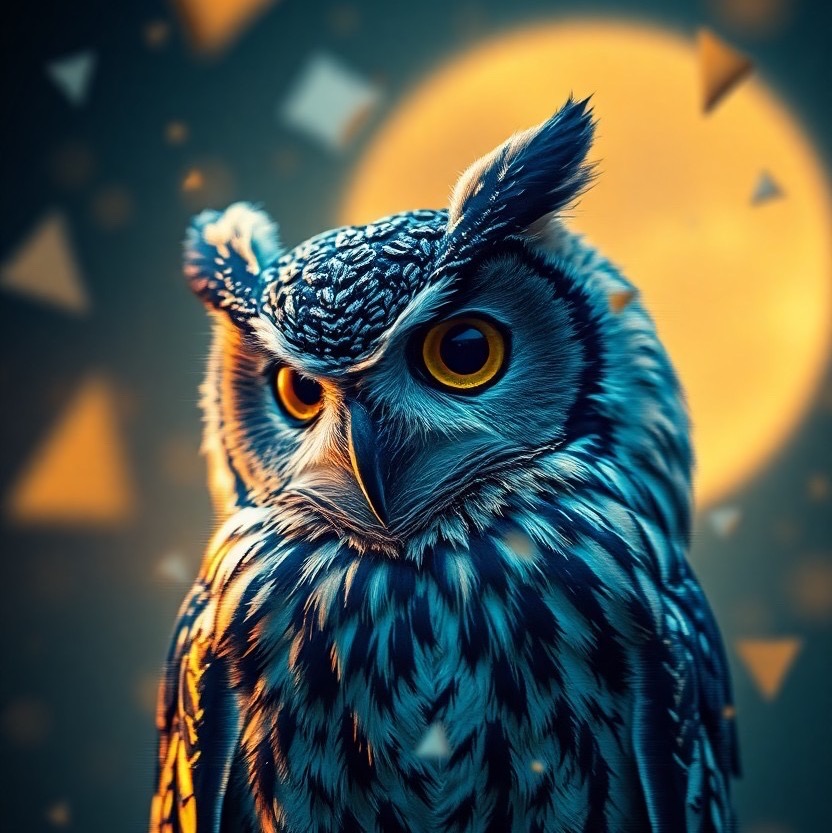
Welcome to the enchanting world of glitch art, where the traditional boundaries of visual aesthetics are not just crossed but completely reimagined. Today, we delve into an extraordinary piece that showcases the beauty and complexity of this art form—a datamoshed owl placed against a dreamscape of midnight blue and gold. This imagery invites viewers into a surreal universe, where digital distortions blend seamlessly with nature’s elegance, creating a mesmerizing artistic expression.
The prompt that guided this visual exploration was to create an image of an owl depicted in a glitch art datamoshed dreamscape. Here, digital distortions and pixelations craft a surreal atmosphere, set against a color scheme of vibrant midnight blue and gold to evoke an otherworldly feel. This imagery is further enhanced by a softly blurred background featuring fragmented shapes, with a focus on the owl’s intricate features in a close-up shot, captured using a wide-angle lens. This setting combines raw beauty with a touch of digital chaos, inviting viewers to interpret the scene through their unique lens of imagination.
Understanding Glitch Art and Datamoshing
Glitch art is not just about the accidental beauty found in digital errors but is a deliberate artistic choice. Artists manipulate digital or analog errors, known as glitches, to create visually arresting pieces. Datamoshing, a form of glitch art, involves manipulating the data of media files to produce visual or auditory errors that are aesthetically pleasing or thought-provoking.
Creating Your Own Datamoshed Masterpiece
Embarking on the journey of creating glitch art may seem daunting, yet it’s highly accessible and rewarding. One of the most user-friendly tools for delving into this art form is the AI Genie iOS app. This app allows artists and enthusiasts to experiment with glitch art by simply entering a few keywords. For those inspired by the described owl in a midnight blue and gold dreamscape, here’s how you can start:
- Think about the main subject of your artwork and its environment. In this case, it was an owl in a datamoshed dreamscape.
- Decide on the color scheme that best represents the mood you’re aiming for. Our example used midnight blue and gold to evoke a sense of mystery and sophistication.
- Use descriptive keywords related to the texture, mood, and visual elements you envision. This approach helps the AI understand the depth and nuance you’re targeting.
Why Glitch Art Captivates
Glitch art resonates with viewers for its ability to showcase perfection in imperfection. The intentional introduction of errors into digital media breaks the polished veneer of digital art, presenting a raw, unfiltered aesthetic that challenges conventional beauty standards.
Conclusion
The exploration of a datamoshed owl in a midnight blue and gold dreamscape serves as a testament to the boundless possibilities offered by digital art, especially when combined with the chaotic beauty of glitches. This blend of the digital and the natural invites viewers to reconsider their perceptions of beauty and artistry, pushing the boundaries of what can be achieved through creative exploration.
Join the Glitch Art Community
Are you inspired to create your own glitch art masterpieces? We invite you to share your prompts, experiences, and breathtaking creations with our community. Engaging with fellow enthusiasts is a great way to gather inspiration, exchange tips, and stay motivated throughout your artistic journey. Whether you’re a seasoned creator or a curious newcomer, there’s a place for you in the vibrant world of glitch art. Let’s push the limits of creativity together!
Prompt:
an owl depicted in a glitch art datamoshed dreamscape, where digital distortions and pixelations create a surreal atmosphere. the environment is filled with a vibrant midnight blue and gold color scheme (midnight blue:1.5), (gold:1.5) to evoke an otherworldly feel. this imagery is set against a softly blurred background featuring fragmented shapes, with a focus on the owl's intricate features in a close-up shot, captured using a wide-angle lens. style: raw.
Discover how you can explore this prompt for free and effortlessly with the AI Genie app! Simply download it from the App Store to dive in. Bonus: It includes an innovative chatGPT prompt generator to assist in crafting your prompts.