

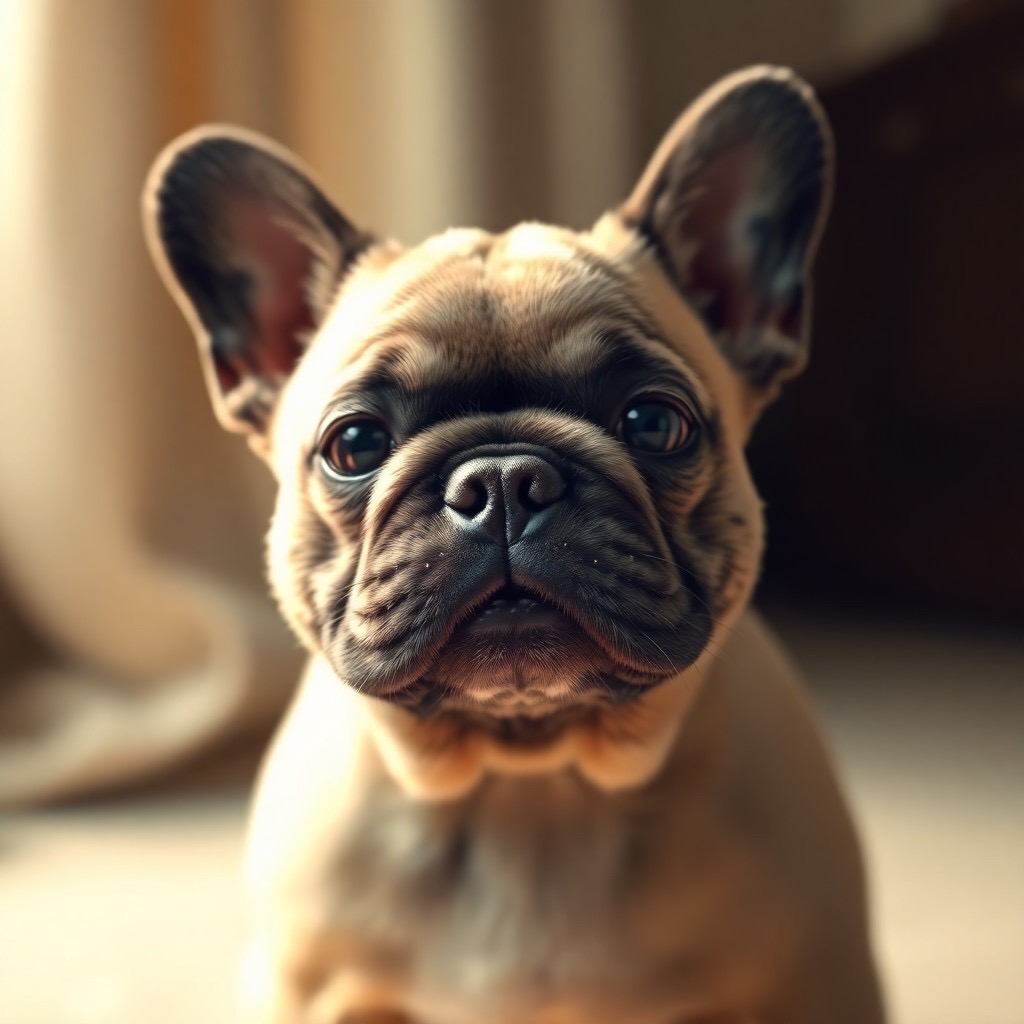
Welcome to a whimsical journey where technology meets the charming world of pets—specifically, the French Bulldog. In an era where artificial intelligence (AI) has revolutionized creative expression, creating a portrait of the cutest, fluffiest French Bulldog ever has become an achievable dream. Whether you’re an artist, a dog lover, or a tech enthusiast, this guide will walk you through the steps of using Unreal Engine and soft lighting to capture the essence of cuteness personified. Let’s dive into the specifics of how this enchanting portrait came to life, using a prompt created for stable diffusion, showcasing not just any dog, but a photorealistic, fluffy French Bulldog bathed in soft, uplight illumination.
The prompt used was: “Portrait of the cutest french bulldog ever, fluffy, photorealistic, soft lighting, unreal engine –ar 3:4 –uplight –stop 80.”
Understanding the Magic Behind the Portrait
Creating such a detailed and lifelike portrait with AI technology might sound daunting, but it’s all about understanding the components and parameters of the prompt. Here’s how each aspect contributes to the final masterpiece:
- Fluffy and Photorealistic: These keywords ensure that the AI focuses on generating textures and details that bring the French Bulldog to life, making it look as real as possible.
- Soft Lighting: This element is crucial for setting the mood and highlighting the fur’s softness and the gentle features of the dog, adding a magical and dreamy atmosphere to the portrait.
- Unreal Engine: Mentioning a specific tool like Unreal Engine (in the context of AI Genie app) guides the AI towards creating images with high-quality rendering capabilities, ensuring the portrait is not just realistic but also beautifully crafted.
- Aspect Ratio and Uplight: Specifying the aspect ratio and the direction of the lighting (uplight) directs the AI to arrange and illuminate the subject in a way that’s both aesthetically pleasing and natural.
Creating Your Fluffy Masterpiece
Armed with this knowledge, you’re now ready to embark on your own creative journey. Whether you’re using the AI Genie iOS app or experimenting with Unreal Engine’s capabilities, remember that details like texture, lighting, and composition are pivotal. Here’s a simple guide to spark your imagination:
- Start with a clear vision of what you want to achieve, focusing on the breed traits and personality you want to capture.
- Experiment with different prompts, adjusting keywords and specifics to see how slight changes can affect the outcome.
- Pay attention to lighting and how it interacts with the fur and features of the French Bulldog to create depth and emotion.
- Don’t be afraid to refine your prompt based on previews, as perfection often requires a few iterations.
Conclusion
Capturing the essence of a fluffy French Bulldog in a photorealistic portrait using AI and Unreal Engine is a fascinating process that blends art with technology. By understanding and manipulating different parameters, you can create a wide range of expressive, detailed, and utterly adorable bulldog portraits. The possibilities are limitless, and the process is a rewarding exploration of creativity and innovation.
Join Our Community
We invite you to share your own prompts and portraits in the comments below. Whether you’ve created whimsical pugs, majestic German Shepherds, or cuddly kittens, we’d love to see your creations and hear about your journey. Engage with our community for more inspiration, tips, and tricks. Together, let’s push the boundaries of what AI can achieve in the world of pet portraiture. Your next masterpiece could spark a new trend or inspire fellow creatives to explore this fascinating intersection of technology and art.
Prompt:
Portrait of the cutest french bulldog ever, fluffy, photorealistic, soft lighting, unreal engine –ar 3:4 –uplight –stop 80
Discover the AI Genie App: Test This Prompt for Free Without Typing. Available on the App Store, it also features a handy chatGPT prompt generator to craft your prompts easily!