

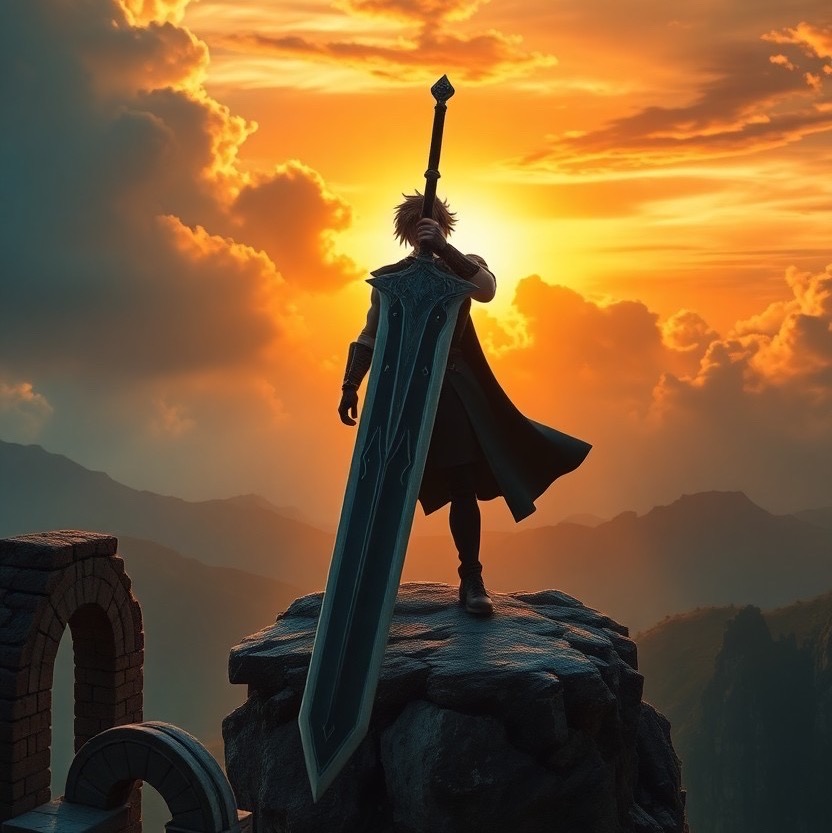
Welcome to our latest exploration of how artificial intelligence (AI) is revolutionizing the way we capture and envision stunning landscapes and iconic characters from the realms of fantasy. Today, we’re diving into a particularly awe-inspiring scene: Cloud Strife, the legendary hero, wielding his enormous Buster Sword, set against the backdrop of a dramatic sunset. This panoramic masterpiece encapsulates a fantasy landscape complete with swirling clouds and ancient ruins, all highlighted by the warm embrace of the setting sun. The prompt provided to create this image showcases the incredible capabilities of AI in producing epic and cinematic art that emphasizes heroism and strength.
For those of you intrigued by the combination of technology and art, the prompt used was as follows: Cloud Strife, wielding his enormous Buster Sword, standing atop a cliff with a dramatic sunset behind him, clouds swirling ominously in the sky. The scene captures a fantasy landscape with ruins in the foreground, illuminated by warm light. Camera shot: panoramic view, using a 24mm lens to encompass the majestic landscape. Style: epic and cinematic, emphasizing heroism and strength, with elements of dramatic lighting and fantasy.
Crafting Your Own Fantasy Landscape with AI
The power of AI like the AI Genie app has opened up new realms of possibility for creators, photographers, and fantasy enthusiasts. But how can you leverage this technology to craft your own epic scenes? Here are a few tips:
- Pick Your Hero: Whether it’s a well-known character like Cloud Strife or someone from your own imagination, start with a strong central figure.
- Define Your Setting: Epic landscapes are key. Think about the elements that will frame your character. Are they on a mountain, in a vast desert, or standing amid the ruins of an ancient civilization?
- Consider the Atmosphere: The mood of your scene is crucial. Decide on the time of day, the weather, and the overall feeling you want to convey. Is it a scene charged with anticipation, or one that’s solemn and reflective?
- Detail Your Prompt: With AI, specificity helps. The more detailed your prompt, the closer the final image will be to what you’ve envisioned.
- Experiment: Don’t be afraid to play around with different elements and settings. The AI Genie app allows for endless creativity, so try various prompts to see what works best.
Visualizing the Scene
Visualizing a scene as rich and detailed as Cloud Strife with his Buster Sword against a fantasy sunset requires not just imagination but also a deep understanding of how visual elements work together. The use of a panoramic view in the prompt, for example, is ingenious, allowing the entire scene to unfold in one sweeping view. Harnessing the power of a 24mm lens in the prompt suggests a desire to capture not just the character but the scope of the landscape. This attention to detail is what sets epic cinematography apart.
Conclusion
The blend of technology and art is creating new avenues for storytelling and visual creativity. By using AI tools like the AI Genie app, even those without a background in art can bring to life scenes that previously only existed in their imagination. The epic vista of Cloud Strife standing against a sweeping fantasy landscape serves as a striking example of what’s possible when creativity meets technology.
We encourage you to share your own prompts and experiences in creating AI-generated art. Whether it’s crafting your own fantasy scenes or exploring other genres, there’s a whole community out there eager to see your creations and offer inspiration and tips. Engage with us and let’s explore the possibilities together.
Prompt:
cloud strife, wielding his enormous buster sword, standing atop a cliff with a dramatic sunset behind him, clouds swirling ominously in the sky. the scene captures a fantasy landscape with ruins in the foreground, illuminated by warm light. camera shot: panoramic view, using a 24mm lens to encompass the majestic landscape. style: epic and cinematic, emphasizing heroism and strength (epic:1.5), (dramatic lighting:1.3), (fantasy elements:1.2).
Discover how to test this prompt at no cost and sans typing through the AI Genie app! Simply download it from the App Store to begin. Plus, it boasts a brilliant chatGPT prompt generator to assist in crafting your prompts.