

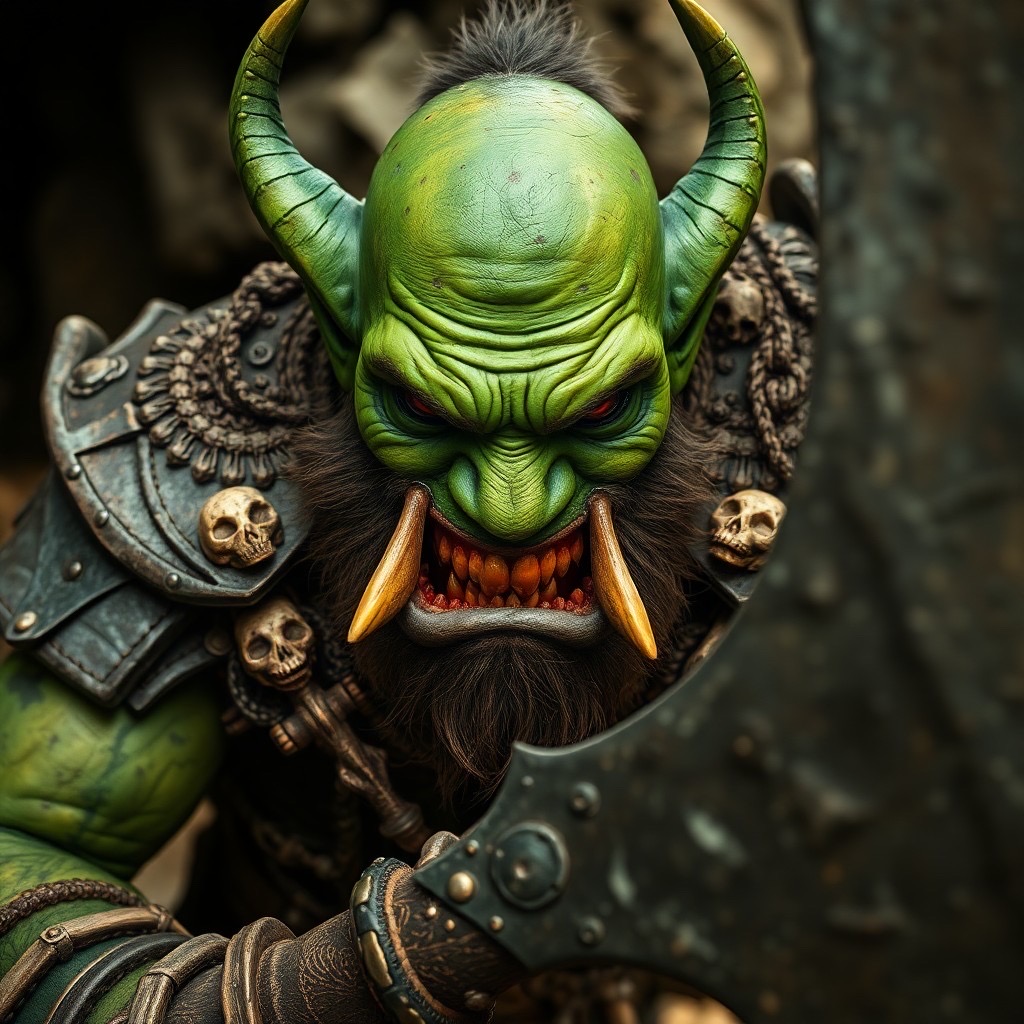
Creating a riveting and intense portrait of an orc chieftain that embodies ferocity and vibrance is no small feat. Certainly, it calls for more than just a keen eye for detail—it demands a vivid imagination and a robust tool that can bring the wildest of fantasies to life. Enter the realm of AI-generated art, where the only limit is your imagination. Today, we delve into how to conjure an image of a fearsome orc chieftain, complete with green skin, sharp tusks, and an aura that screams defiance.
Prompt: A fearsome orc chieftain with green skin and sharp tusks, wearing heavy, battered armor adorned with skull decorations. He grips a massive axe, looking defiantly at the camera with a menacing snarl. The environment is rugged and outdoor, with harsh lighting emphasizing his scars and battle-worn features, creating a gritty atmosphere. Camera shot: close-up, lens: 50mm, view: eye level. Style: surreal and vibrant (harsh lighting:1.3), (intricate details:1.2).
Understanding the Elements
To bring our orc chieftain to life, we dissect the prompt into key elements:
- Character Details: Green skin, sharp tusks, heavy armor with skull decorations, and a massive axe.
- Expression: A menacing snarl that suggests defiance.
- Environment: Rugged outdoor with harsh lighting to highlight scars and battle-worn features.
- Creative Style: A mix of surreal and vibrant elements, achieved by adjusting lighting and details.
Bringing Your Vision to Life
With the AI Genie iOS app, translating this detailed vision into a tangible piece of art is surprisingly straightforward. Here’s how:
- Break down your prompt into specific, descriptive elements to ensure the AI understands your vision.
- Consider the mood and atmosphere you wish to convey. The choice of harsh lighting and a rugged environment plays a crucial role in achieving a gritty atmosphere.
- Experiment with different styles. The prompt specifies a “surreal and vibrant” style—adjust the app’s settings to reflect this.
Magic in the Details
Details make or break your orc chieftain’s portrait. Focus on the intricate elements, from the texture of the skin and armor to the shadows cast by the chieftain’s menacing snarl. With AI, you can tweak these details until they match your vision, ensuring a portrait that’s not just seen but felt.
Conclusion
Crafting an intense portrait of an orc chieftain using AI is a rewarding creative process. It merges the boundaries of technology and art, allowing creators to push beyond traditional limits. The key? A clear vision, a detailed prompt, and a willingness to experiment.
Join Our Creative Community
Now it’s your turn! Share your own prompts, experiences, and the vibrant pieces of art you’ve created using the AI Genie app. Whether it’s orcs, elves, or uncharted fantasy realms, the community is eager to see your imagination at work. Engage with fellow creators for inspiration, tips, or simply to marvel at the magic AI can produce. Who knows? Your creation might just be the spark someone else needs to embark on their own artistic journey.
So dive in, explore, and let your creativity know no bounds. The world of AI-generated art is vast, and it’s waiting for you.
Prompt:
a fearsome orc chieftain with green skin and sharp tusks, wearing heavy, battered armor adorned with skull decorations. he grips a massive axe, looking defiantly at the camera with a menacing snarl. the environment is rugged and outdoor, with harsh lighting emphasizing his scars and battle-worn features, creating a gritty atmosphere. camera shot: close-up, lens: 50mm, view: eye level. style: surreal and vibrant (harsh lighting:1.3), (intricate details:1.2).
Discover How to Experience This Prompt for Free – No Typing Required with AI Genie App! Download Now from the App Store & Enjoy an Exclusive ChatGPT Prompt Generator to Craft Your Prompts Easily.